
“
Taking a photo of a meal and instantly seeing the nutrition makes this much easier than the trackers I used before.
ninaeatswell
Scan meals, track calories and nutrients, follow fasting, water, and weight, and ask MagicBite AI what to do next, all in one calm app.


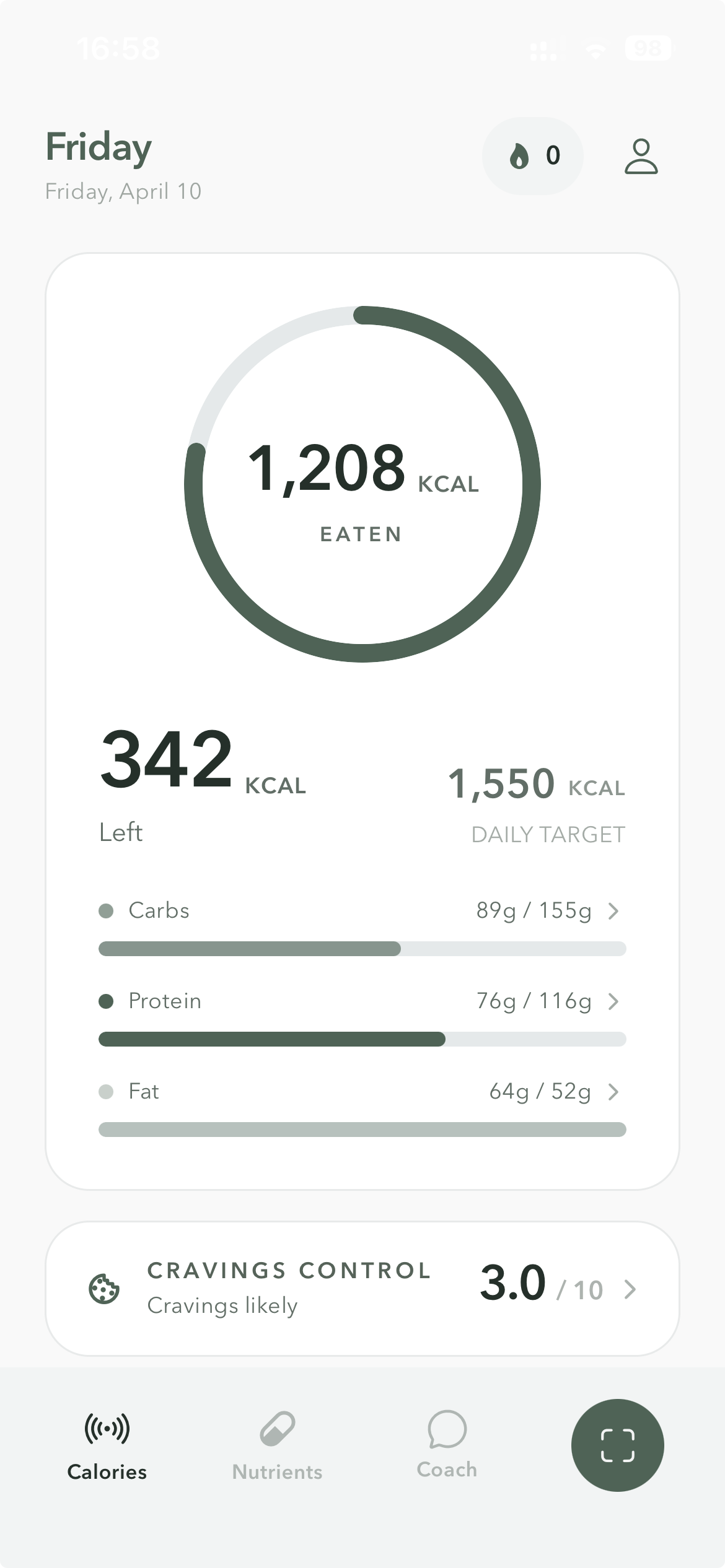
Calories, cravings, fasting, and meal logging in one home screen.
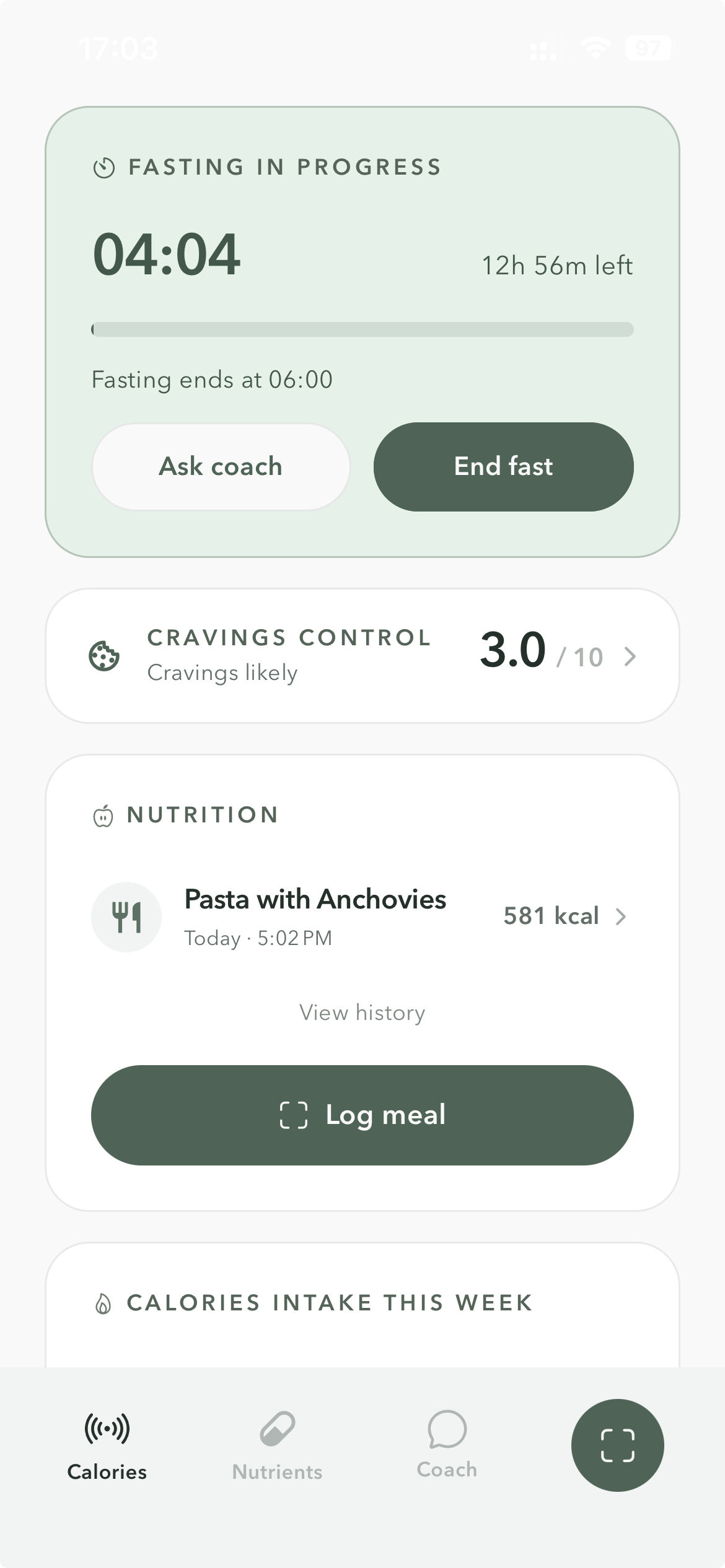
Open one screen and know where calories stand, whether cravings are building, whether a fast is active, and what to log next.
See eaten, left, and target instantly.
Understand appetite alongside meals instead of guessing later.
Start, track, and end a fast in the same flow as meals.
Capture the next meal before the moment passes.
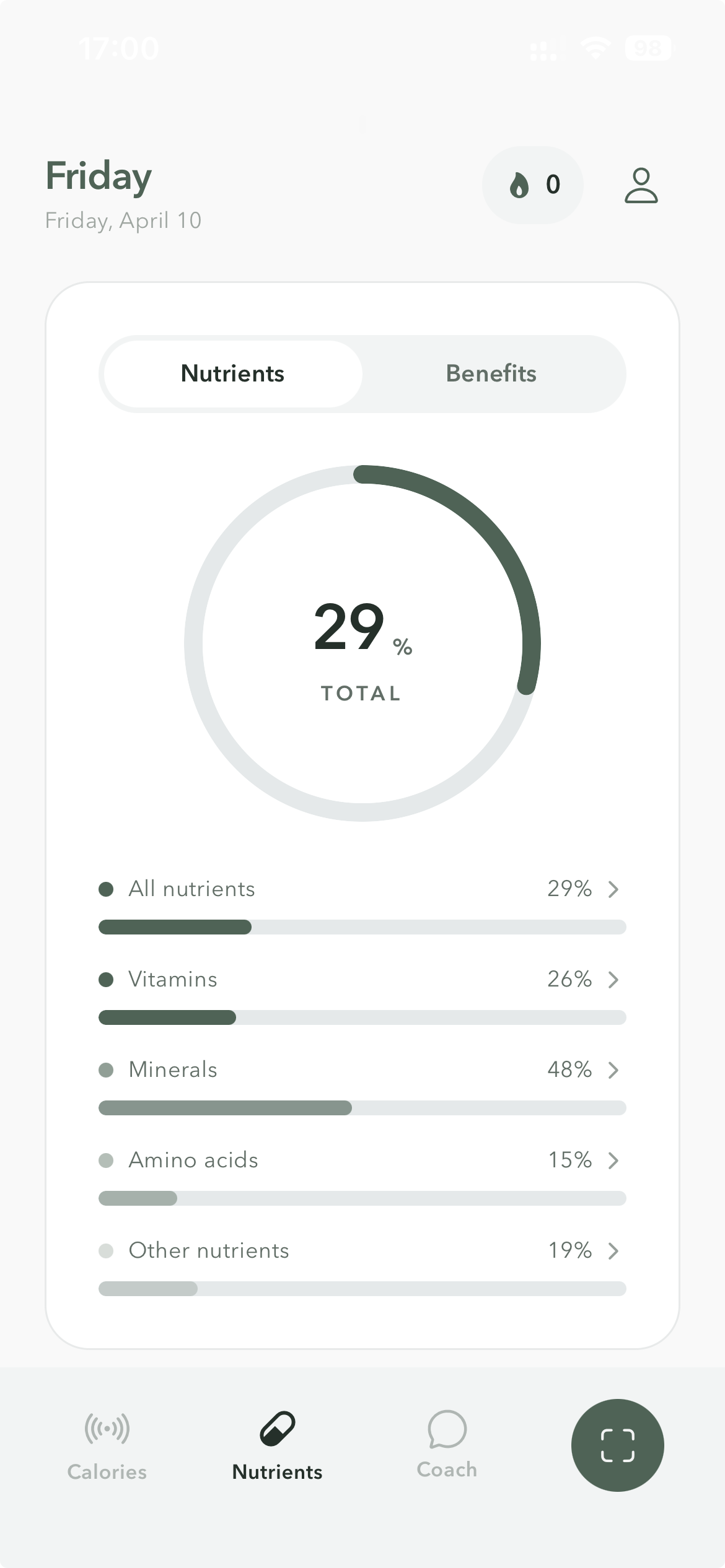
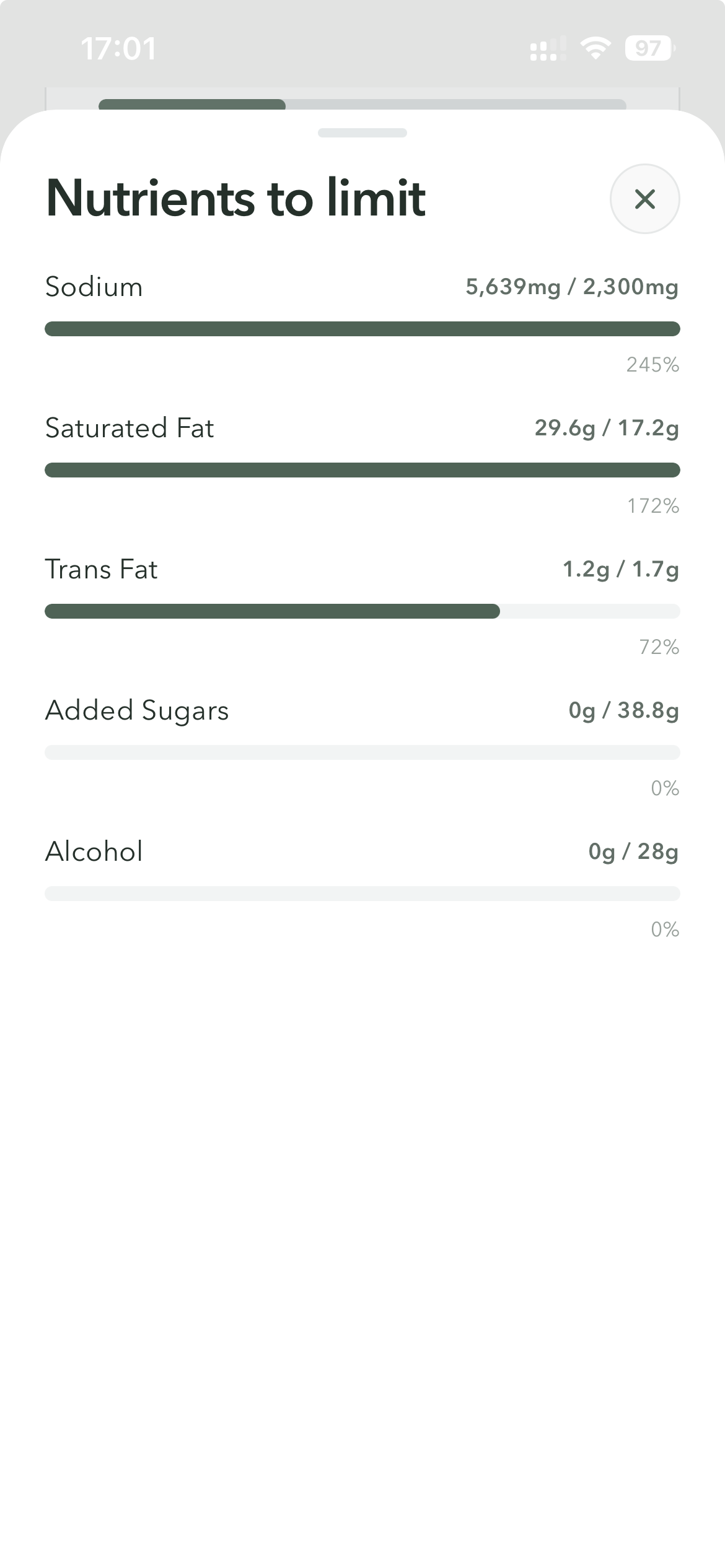
MagicBite turns food logs into clear nutrient signals: what you are missing, what you are overdoing, and what deserves attention next.
See nutrient categories from one readable summary.
Catch low vitamins and micronutrients before they become a pattern.
Flag sodium, saturated fat, and added sugars in the same view.
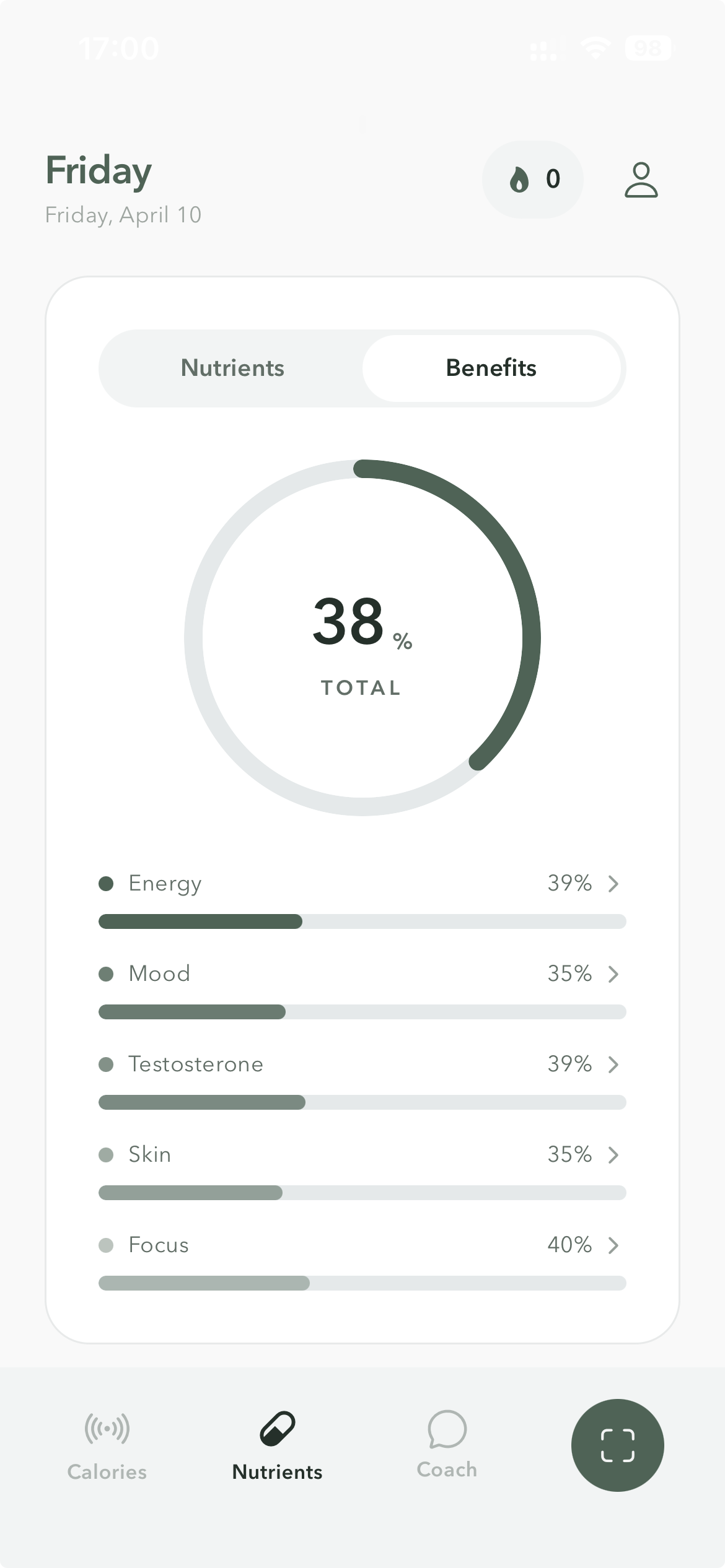
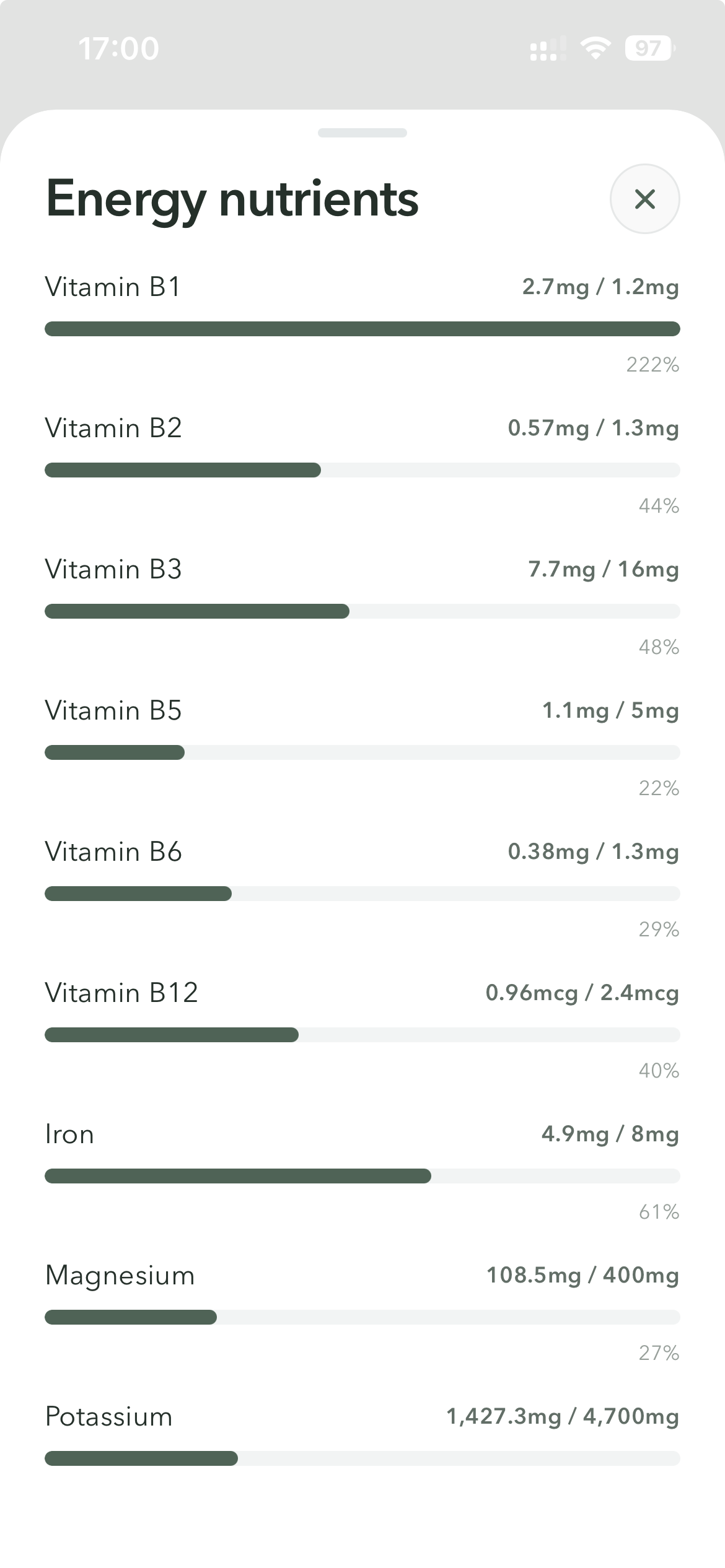
The benefits view connects meals to energy, focus, mood, skin, and similar outcomes, so nutrition feels useful instead of abstract.
See where today is helping or holding you back.
Tap into the nutrients shaping each benefit score.
Move between nutrients and benefits without relearning the app.
Turn nutrient detail into something you can actually use.
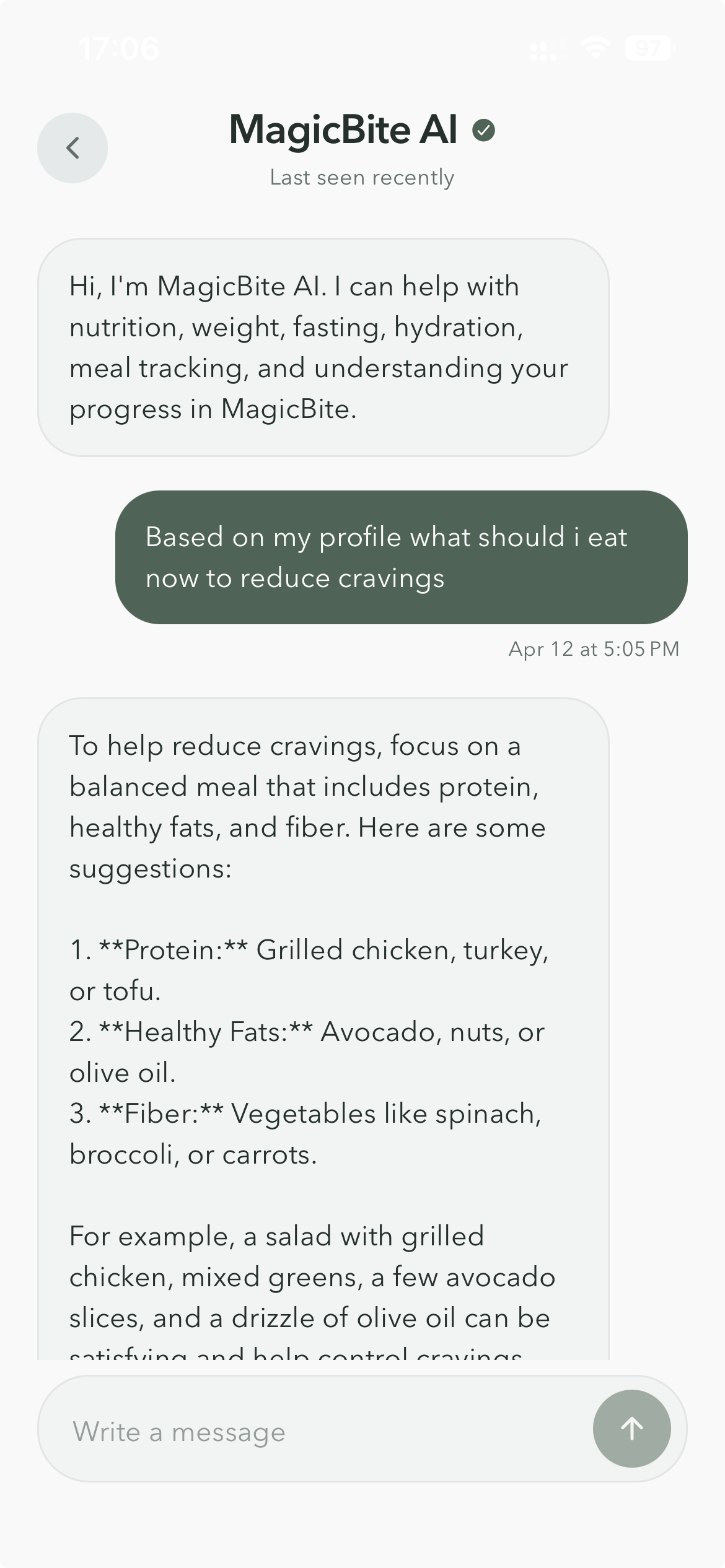
MagicBite AI answers with meal, fasting, hydration, and progress context in mind, so the guidance stays grounded in your real day.
Ask better questions because the app already knows your meals and goals.
Keep advice focused on food, weight, hydration, fasting, and progress.
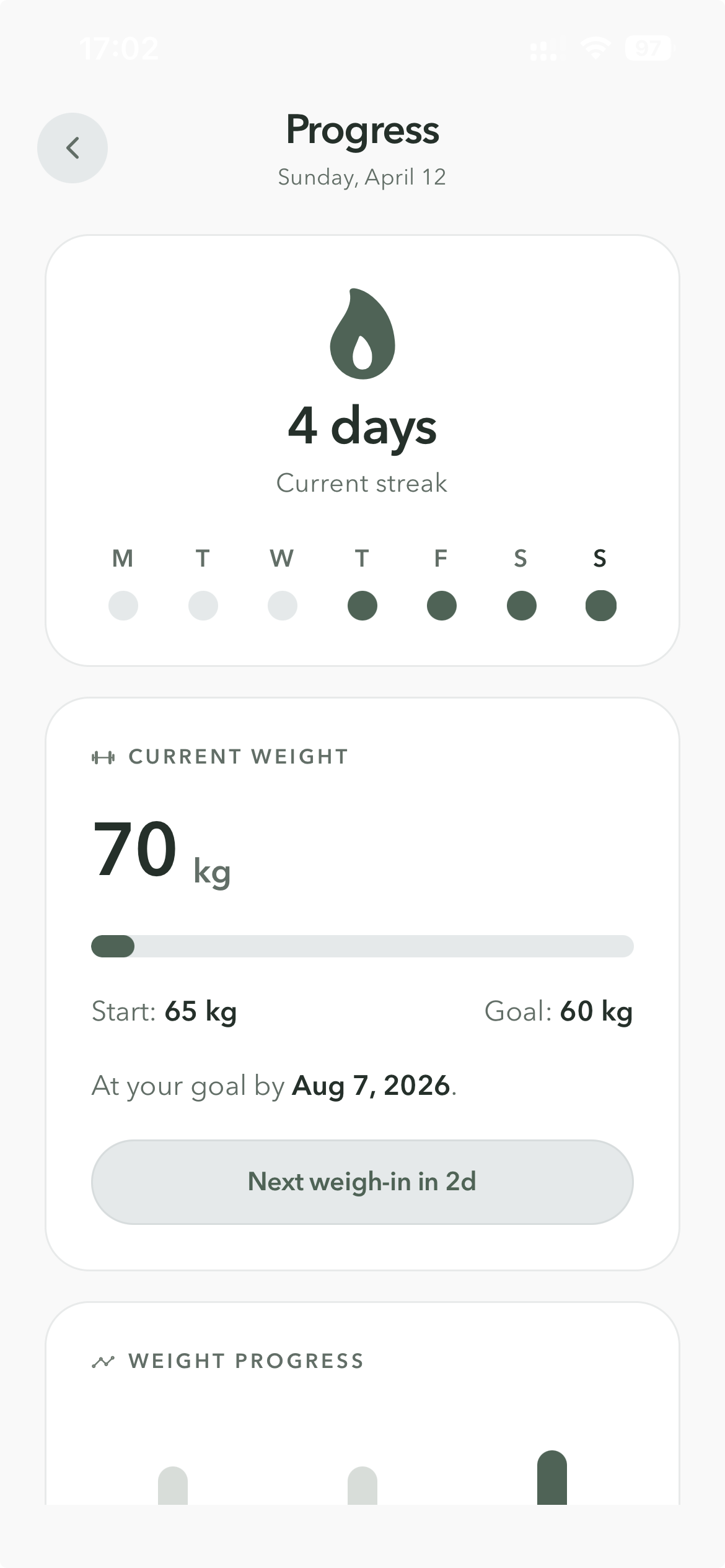
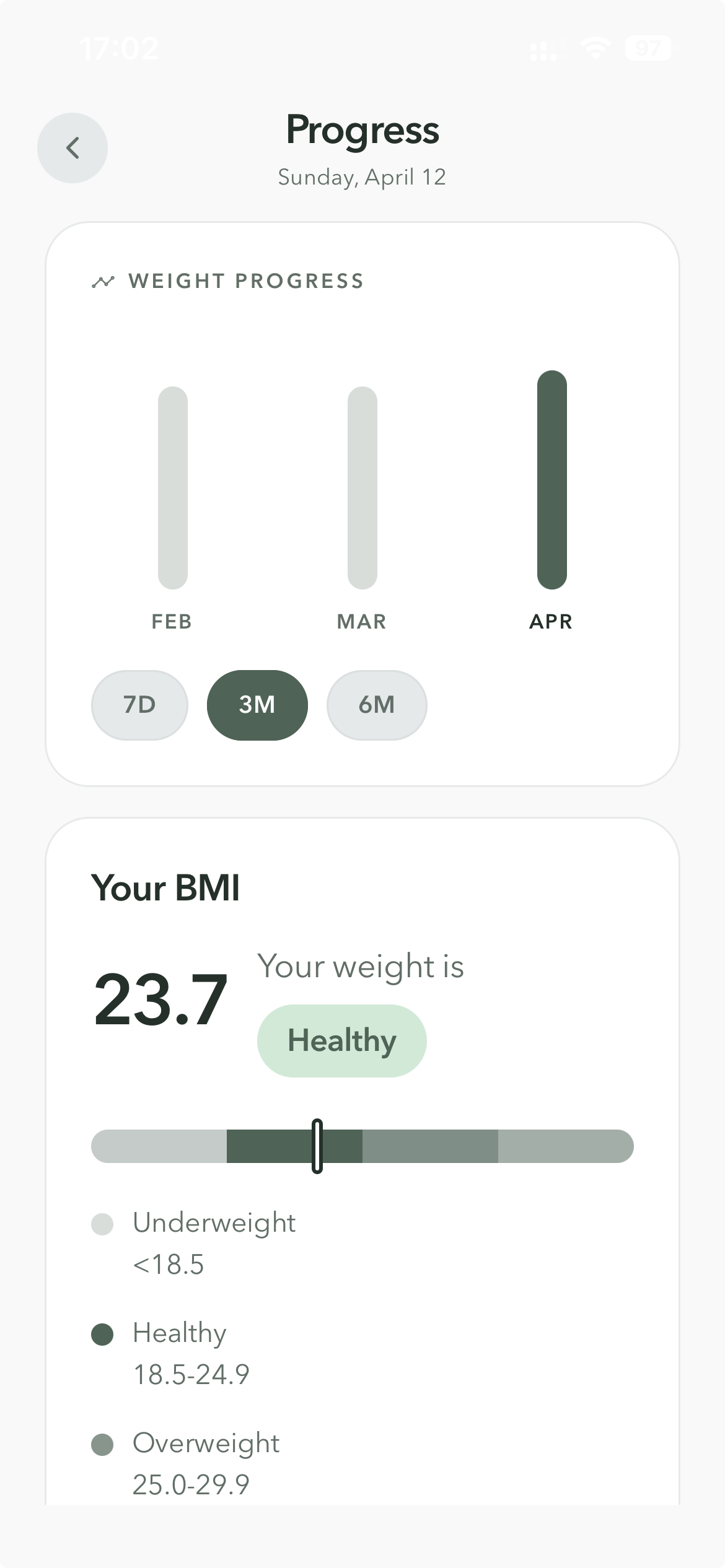
Follow streaks, weight, BMI, and trend cards in a way that supports consistency without turning the app into a game.
Review the current streak without losing sight of the meals behind it.
Track movement toward your goal alongside the habits driving it.
Use BMI as a reference point, not the whole story.
Keep weigh-ins consistent without pressure-heavy reminders.
Most apps split calories, nutrients, fasting, water, weight, and coaching across separate tools. MagicBite keeps the full picture in one calm place.
`~` means available in a narrower or more fragmented way than in MagicBite.
MagicBite is for people who want clearer meals, steadier routines, and less friction between tracking, understanding, and acting.
Scan, calories, nutrients, fasting, water, coach, and progress all work together.
The app keeps turning data into the next useful action.
A quieter interface makes it easier to stay consistent.
The pattern is consistent: MagicBite makes food easier to understand, faster to log, and easier to act on.
Taking a photo of a meal and instantly seeing the nutrition makes this much easier than the trackers I used before.
I like that it goes beyond calories and macros. The nutrient detail makes it easier to understand what my meals are actually doing.
The coach feels practical. I can log a meal, see what needs work, and get a useful next step right away.
Live now
Scan meals, spot what to improve, and get guidance that uses your real day as context.